Medical History
The Medical History can be accessed in the Timeline menu. It is the main screen of the app. Your health history, organized by date, with the most recent events first is located here.
You can note down doctor visits, dentist appointments, therapy sessions, medical documents, vaccinations, and more.
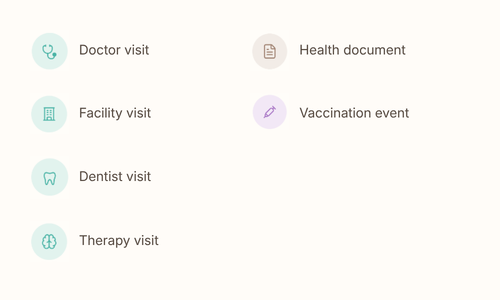
The type of the event determines its icon and color:
Adding an event
Start filling your health history by tapping on the floating plus button. You can add a health appointment that happened (not an upcoming appointment, as it does not make a lot of sense here), a health document (exam request or result, sick note, doctor report, etc.), or a vaccination event.
Upcoming appointments live in the Calendar menu.
In my opinion, it is important to log a medical event not long after it happened because it is when the information is freshest in our mind. Anything important the doctor said, you might want to note down.
Searching your Medical History
You can narrow down your Medical History by using the search options at the top of the screen (the magnifying glass icon). You can filter by event type and by date range, and you can also type the name of the doctor or words matching the description of the event.
Medical Event details
By opening any of the cards in the Medical History, you can see the details that you logged for it. This way, your history is being constructed bit by bit.
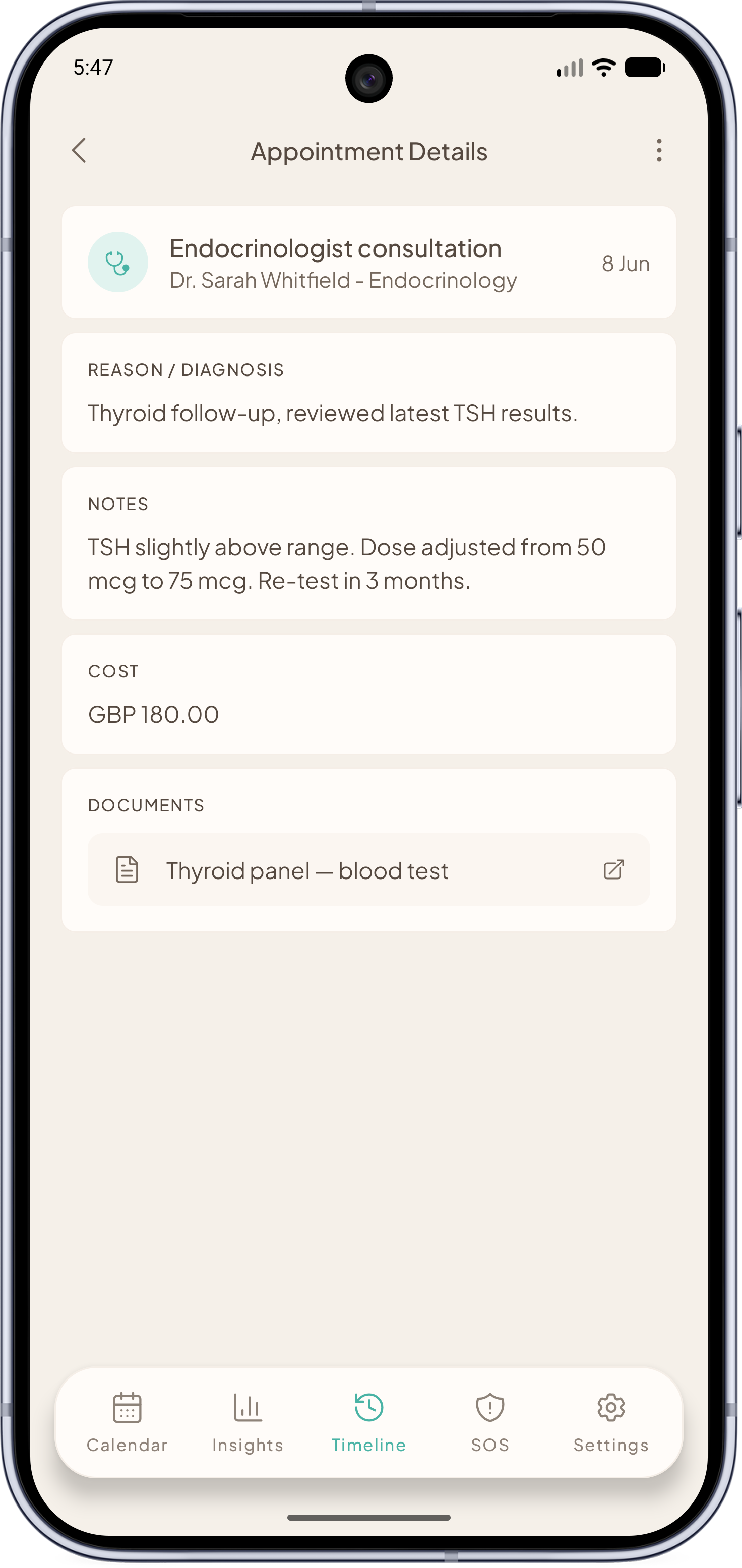
Information like the reason you went to that practitioner, what the practitioner concluded, notes you took during the consultation, cost of the consultation, and related documents (all attached safely to this entry and saved in the Vitae backup) are all saved here.
The great thing is: if you go to a new practitioner or if you go to this same one in the future, you can pull up all this information fast and show it to them!
To find out how to prepare for upcoming appointments, check out the corresponding page.